What is GERS?
Why GERS exists
Map data from different sources can be hard to combine because the same real-world entity can be represented in different ways. One source's building footprint might not match another's. The POIs for the same grocery store may sit feet apart, with its name spelled differently. Matching map datasets means a spatial join, feature by feature, which can be computationally expensive at scale and often returns messy matches: one to many, many to one, many to many. Resolving those takes judgment, and that work is conflation, redone for every pair of datasets and again whenever either one is refreshed.
The Global Entity Reference System moves some of that work upstream. Overture assigns a stable identifier to each feature in its reference map, so anyone who matches their data to those features once can join on the identifier afterward.
The rest of this documentation explains how GERS works and how you can use it.
GERS is a system
The "S" in GERS stands for system. A stable identifier on its own is not enough to keep two datasets joined across releases, so GERS is five components rather than one.
| Component | What it does |
|---|---|
| Overture reference map | The canonical datasets Overture releases each month. A feature MUST be in the reference map to have a GERS ID. |
| GERS registry | Catalogs the IDs that carry a stability commitment, and records when each one was first seen, last seen, and last changed. |
| Data changelog | Reports what changed between the previous release and this one, per feature. |
| Bridge files | Map the IDs in Overture's source data to the GERS IDs those sources contributed to. |
| Onboarding services | Third-party services that match your data to GERS IDs and keep the match current. |
The registry, changelog, and bridge files exist to help you reconcile your GERS ID assignments from release to release. The registry tells you whether an ID is still live. The changelog tells you which of your matched features moved. Bridge files let you skip matching entirely when your data already shares an identifier system with one of Overture's sources.
What a GERS ID is
A GERS ID is a 128-bit random UUID that looks like this: fea28f69-7afa-460c-b270-61ef74cd340c.
There is nothing to infer from its contents. It does not encode location, theme, or any other logic.
Until the 2025-06-25.0 release it did: identifiers were hex strings carrying an H3 cell and a theme byte. We replaced every one with a UUID in that release, because encoding meaning into an identifier cost more than it returned, and identifiers collided when an entity moved between cells or themes.
Identifiers captured before 2025-06-25.0 will not resolve against current data. Filtering on an identifier prefix was never a reliable spatial query either, so use the bbox column.
What carries a GERS ID
Not every feature in an Overture release has a GERS ID. Features in the base theme and features of type building_part carry deterministic UUIDs that are valid UUIDs but are not GERS IDs. They come from a single source, they are not matched across sources, and Overture makes no stability commitment for them.
Presence in the GERS registry is what makes an identifier a GERS ID. If you hold an ID from an Overture release and need to know whether a stability commitment stands behind it, query the registry. There is no way to tell from the identifier itself.
The registry currently includes building, division, division_area, division_boundary, place, segment, and connector. See GERS ID stability for what the commitment actually promises.
GERS inside Overture
GERS IDs are not only for connecting outside data to Overture. Overture features reference each other by GERS ID too, and the divisions theme is the clearest case.
Every division carries a hierarchies array giving the chain of divisions it sits inside, running from the country down to the division itself, and each entry in that chain is a GERS ID. Take a locality and read its hierarchy:
LOAD httpfs;  -- noqa
SET s3_region='us-west-2';

-- Every division carries a hierarchies array giving the chain of divisions
-- it sits inside, and each entry in that chain is a GERS ID.
WITH locality AS (
    SELECT hierarchies
    FROM read_parquet('s3://overturemaps-us-west-2/release/2026-08-19.0/theme=divisions/type=division/*')
    WHERE id = 'fa6ba2e0-cc93-4f51-bfe9-ef41e33741c9'
)

SELECT
    h.name,
    h.subtype,
    h.division_id
FROM locality
CROSS JOIN unnest(hierarchies[1]) AS t (h);
┌──────────────────┬──────────┬──────────────────────────────────────┐
│       name       │ subtype  │             division_id              │
├──────────────────┼──────────┼──────────────────────────────────────┤
│ United States    │ country  │ f39eb4af-5206-481b-b19e-bd784ded3f05 │
│ Utah             │ region   │ 506017c0-8932-44b5-b82c-92f9dcffdcf1 │
│ Salt Lake County │ county   │ 53d671bc-c294-44fb-a767-169bffedc5cb │
│ South Salt Lake  │ locality │ fa6ba2e0-cc93-4f51-bfe9-ef41e33741c9 │
└──────────────────┴──────────┴──────────────────────────────────────┘
Those four identifiers are GERS IDs like any other, so the boundaries themselves are one more join away, in the division_area type:
LOAD spatial;  -- noqa
LOAD httpfs;  -- noqa
SET s3_region='us-west-2';

-- The identifiers in a hierarchy are GERS IDs like any other, so the
-- boundaries themselves are one join away in the division_area type.
WITH locality AS (
    SELECT hierarchies
    FROM read_parquet('s3://overturemaps-us-west-2/release/2026-08-19.0/theme=divisions/type=division/*')
    WHERE id = 'fa6ba2e0-cc93-4f51-bfe9-ef41e33741c9'
),

ancestors AS (
    SELECT h.division_id
    FROM locality
    CROSS JOIN unnest(hierarchies[1]) AS t (h)
)

SELECT
    names.primary AS name,
    subtype,
    id,
    geometry
FROM read_parquet('s3://overturemaps-us-west-2/release/2026-08-19.0/theme=divisions/type=division_area/*')
WHERE division_id IN (SELECT division_id FROM ancestors);
This is worth seeing early, because it shows that the identifier is load-bearing rather than decorative. The same join works whether the thing on the other side is another Overture feature or a table of your own.
Using GERS
Matching your data
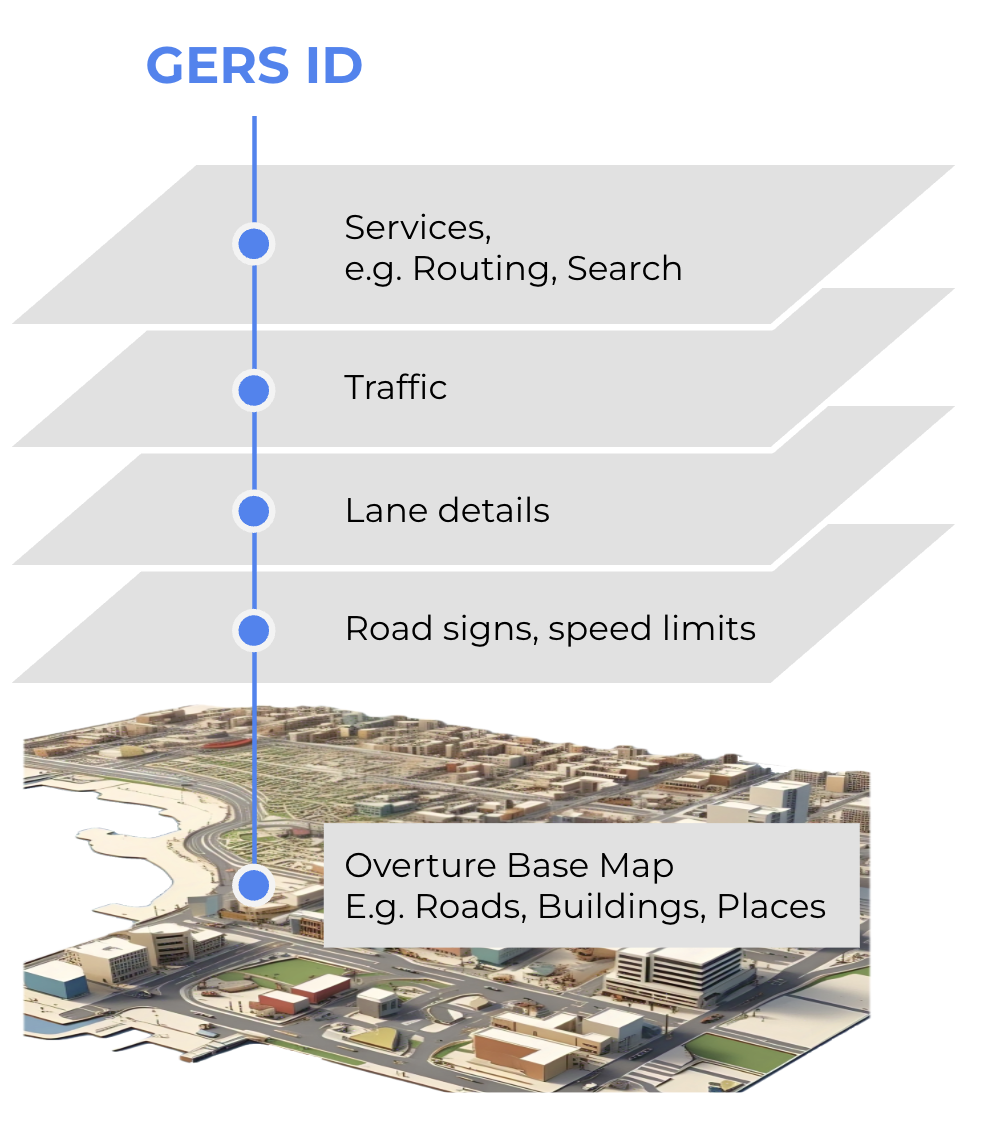
You can associate your own data, or a third party's, with Overture features: real-time traffic on road segments, insurance exposure on buildings, reviews on places, socioeconomic indicators on divisions. Once your records carry GERS IDs, they join to any other GERS-enabled dataset by ID.
Matching is real work. The first match is a conflation job against the current release. After that, each monthly release changes some of the features you matched to, so a maintenance pass keeps the association alive. The GERS tutorial walks through both halves with a worked example, and onboarding services covers the third parties who will do it for you.
Publishing data keyed to GERS
Because a GERS ID is a shared identifier, a dataset keyed to GERS IDs is usable by anyone holding the reference map, without a conflation step. This is what lets a provider of traffic data publish traffic without also publishing roads, or a demographic data provider publish indicators without also publishing boundaries.
Contributing source data
Overture accepts new source data into the reference map through a defined process, and matching contributed features to existing ones is part of that pipeline. It is not a service Overture offers on request, and the queue is long: integrating a new source takes months rather than weeks, and the matchers for some themes are still being built.
A GERS ID can only be assigned to a feature that is in the Overture reference map. To get one for a feature we do not carry, contribute the data: once a source is accepted and ingested, its features are matched against what Overture already has, so entities we already hold keep their existing GERS IDs and genuinely new ones are assigned their own.
Acceptance takes time and is not guaranteed, so your unmatched records still need identifiers in the meantime, and your own are fine. Do not publish them as GERS IDs: they will not be in the registry, they will not join to anyone else's data, and any feature that later turns out to exist in Overture becomes a duplicate to reconcile.
For the current pathways for contributing data to Overture, see Contributing Data to Overture.