PMTiles
Overture is primarily distributed in the GeoParquet format. While GeoParquet is a compact format, tiles are essential for creating pannable, zoomable slippy maps for display on the web.
- Data is broken into equal-sized square chunks (tiles), to load only the visible data.
- Tiles are arranged in a pyramid by level of detail, enabling zoomed-out overviews.
overture-tiles on GitHub
The overture-tiles GitHub repository contains scripts and programs to generate tilesets from Overture data. These tilesets are designed for an "X-ray" visualization like at explore.overturemaps.org to aid in inspecting geometry and properties. They are not designed to be a production-ready cartographic basemap.
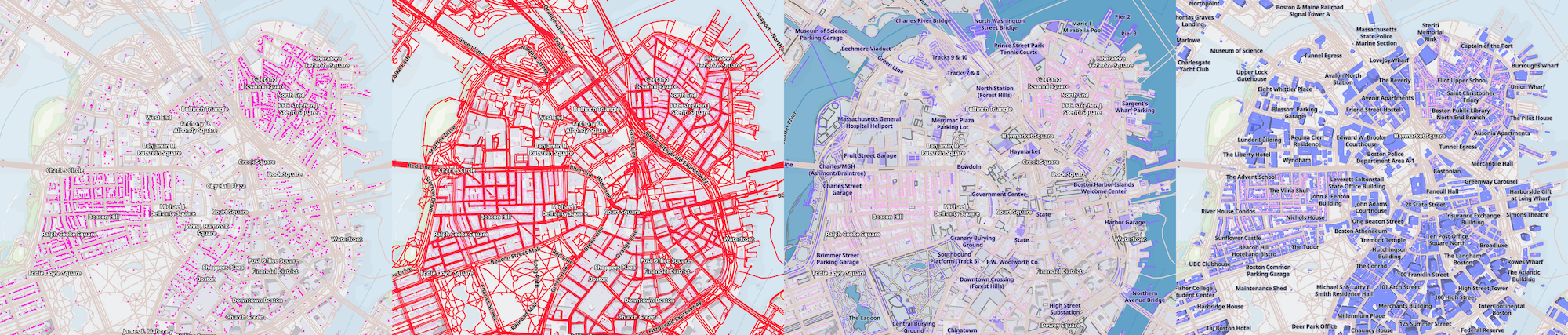
Each Overture theme is stored as a separate PMTiles archive.
The individual tiles contain geometry and tags in the open MVT vector tile format.
Accessing Tiles
Overture Tiles are generated with each release. The current distribution of tiles are at this url:
s3://overturemaps-extras-us-west-2/tiles/<RELEASE>/<THEME>.pmtiles
These public S3 URLs can also be accessed via HTTP:
https://overturemaps-extras-us-west-2.s3.us-west-2.amazonaws.com/tiles/<RELEASE>/<THEME>.pmtiles
Viewing Tiles
Local and remote HTTP URLs can be previewed at pmtiles.io.
View 2026-08-19.0/base.pmtiles on pmtiles.ioArea Extracts
To create a new tileset for only part of the world, use the extract command of the pmtiles CLI.
To get all buildings tiles around Ghent, Belgium:
pmtiles extract https://overturemaps-extras-us-west-2.s3.amazonaws.com/tiles/2026-08-19.0/buildings.pmtiles ghent.pmtiles --bbox=3.660507,51.004250,3.784790,51.065996
On AWS
The overture-tiles scripts can be automated with AWS Batch, which generates the largest global tilesets in ~90 minutes using c7gd.16xlarge EC2 instances on demand. Costs incurred include on-demand instances and S3 storage + transaction costs.
Prerequisites
Setup
- From the
examples/completedirectory of the terraform-aws-overture-tiles repository:
tofu init
tofu apply -var="bucket_name=my-overture-tiles"
- Submit jobs from the AWS Batch console.
-
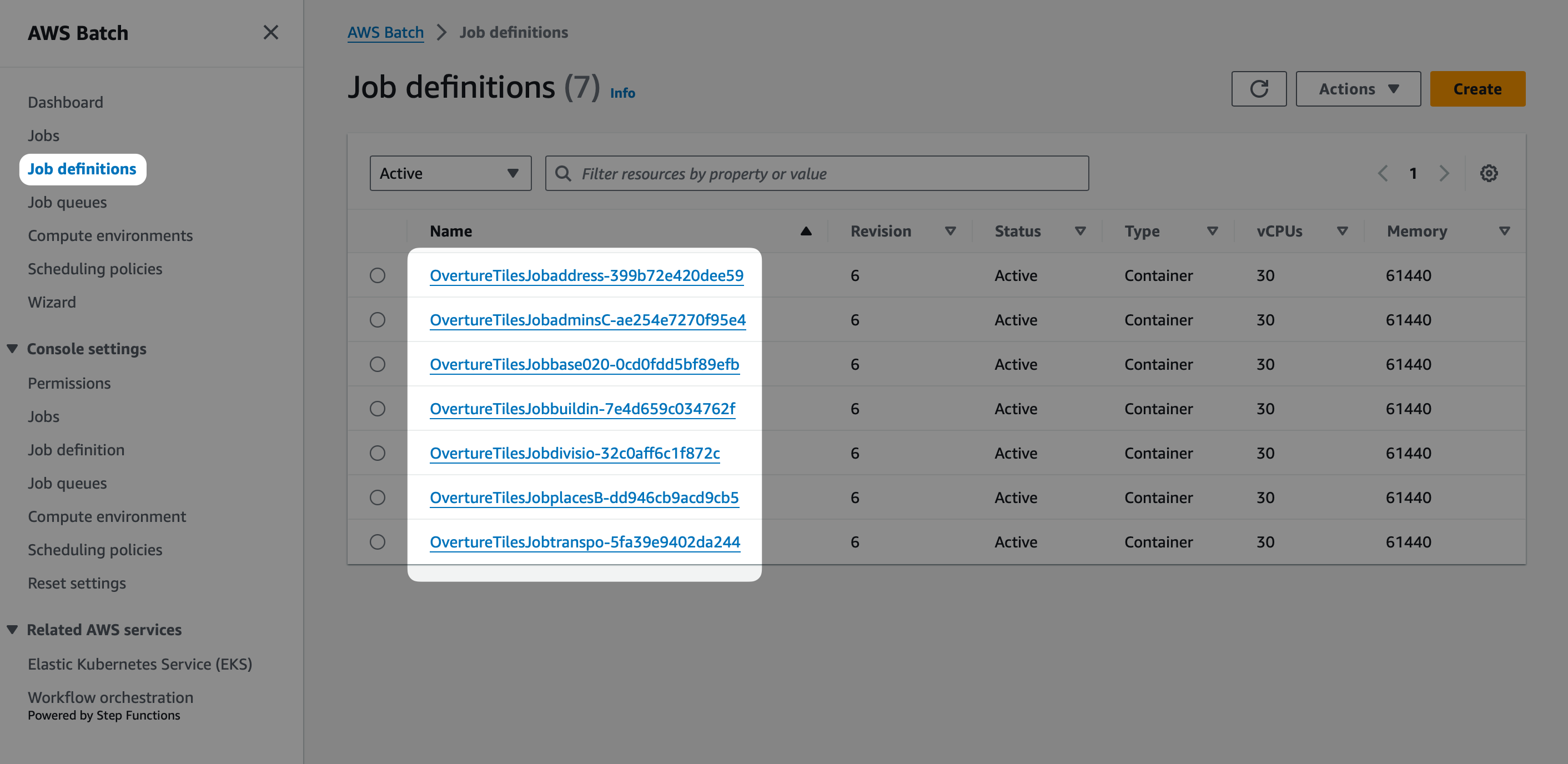
Select from the available Job Definitions. Each Definition is associated with a version and theme from an Overture release.
-
Select the OvertureTilesQueue as the Job queue.
-
Add three Environment Variables:
-
OUTPUT: The path to the output on S3, such ass3://your-bucket-name/2026-08-19.0/ -
THEME: e.g.places -
RELEASE: The Overture release, e.g.2026-08-19.0
-
-
Once the job is complete, the tileset will be available at
<OUTPUT>/<THEME>.pmtiles, e.g.s3://your-bucket-name/2026-08-19.0/places.pmtiles
To provide a modified image to AWS Batch, upload the image to Elastic Container Registry and provide the container_image variable:
tofu apply -var="bucket_name=my-overture-tiles" -var="container_image=123456789012.dkr.ecr.us-east-1.amazonaws.com/overture-tiles:v2.0.0"
On Your Workstation
Requirements
- a Java Runtime Environment, version 22+ along with
planetiler.jarfrom onthegomap/planetiler Releases. - s5cmd for downloading Overture data.
Scripts
-
Copy the Overture Parquet dataset to your local machine using these docs. If you want to only run on a small sample of data, you can use only the first
.parquetfile instead of all in the directory. -
for each theme, generate the tileset with java:
# --data indicates where your Overture data is (overture/theme=base/...)
java -cp planetiler.jar profiles/Base.java --data=overture
The above command outputs base.pmtiles in the data dir.
Customization
The tilesets accompanying Overture releases are primarily for powering the Overture Explorer. For your own application, you may want to:
- Limit or modify the properties of each feature, to reduce the tile sizes.
- Change what features or properties are included at generalized lower zoom levels.
In these examples we'll work with a small area extract of Boston in the boston/ folder, but all tiling methods can scale to the full dataset.
mkdir -p boston/theme=buildings/type=building
mkdir -p boston/theme=places/type=place
overturemaps download --bbox=-71.068,42.353,-71.058,42.363 -f geoparquet --type=building -o boston/theme=buildings/type=building/0.parquet
overturemaps download --bbox=-71.068,42.353,-71.058,42.363 -f geoparquet --type=place -o boston/theme=places/type=place/0.parquet
Example: Places
The default Places.java profile includes all Overture properties to aid inspection. To slim down the tile sizes, you can include only the name field, stored at the key @name.
Modify Places.java:
  ...
  @Override
  public void processFeature(SourceFeature source, FeatureCollector features) {
      String layer = source.getSourceLayer();
      var point = features.point(layer).setMinZoom(14);
      var primaryName = source.getStruct("names").get("primary");
      point.setAttr("@name", primaryName);
  }
  ...
java -cp planetiler.jar profiles/Places.java --data=boston
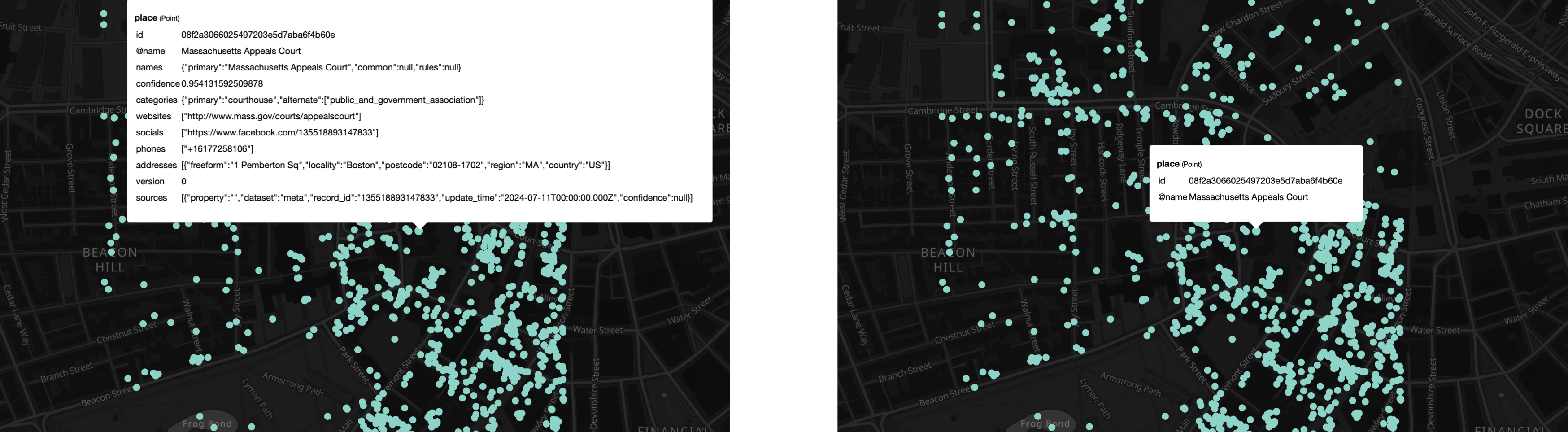
Inspect the created boston_places.pmtiles on pmtiles.io to see the slimmed-down properties:
Example: Buildings
To reduce the size of tiles, the default Buildings script includes all properties only at zoom 13. Your own application may need this data at a lower zoom level.
Modify profile/Buildings.java to populate all Overture properties on zoom 13 instead of zoom 14:
...
OvertureProfile.addFullTags(source, polygon, 13);
...
java -cp planetiler.jar profiles/Buildings.java --data=boston
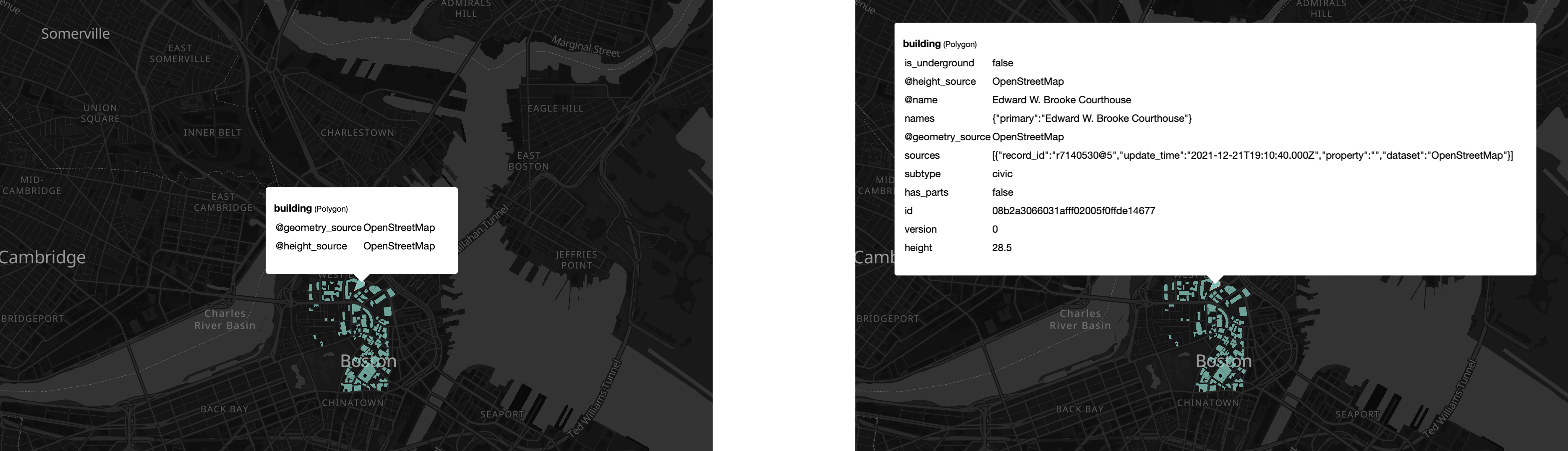
Inspect the created data/buildings.pmtiles on pmtiles.io to see the additional properties on zoom level 12: